
Merge, Compress, Convert, and Sign PDFs — Without the Usual Hassle
Let’s Start
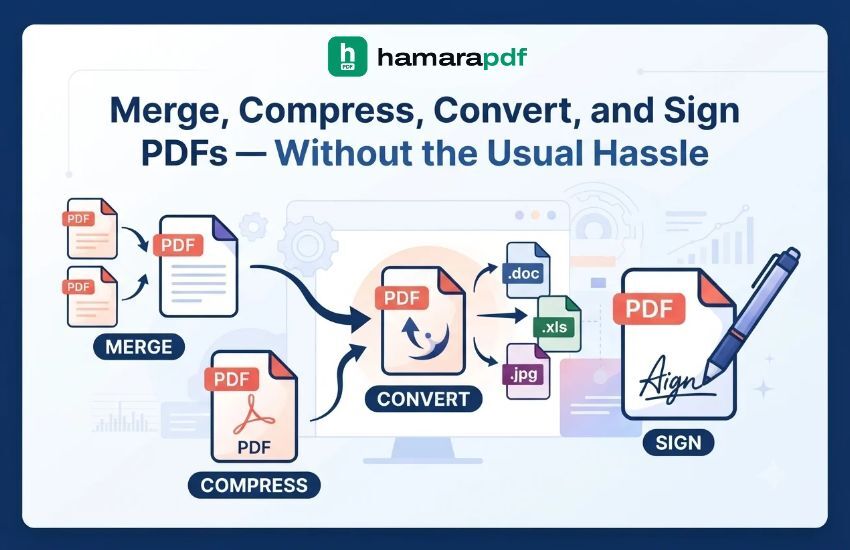
Managing PDF files should be quick and effortless. Whether you are sharing business reports, submitting assignments, creating invoices, or organizing important records, there are times when you need to edit or modify your PDFs. Fortunately, free PDF tools make these tasks much simpler. With the right PDF tools, you can merge, compress, convert, and sign documents without installing additional software or spending time on complicated processes.
HamaraPDF offers a collection of essential PDF features in one place, allowing users to handle their documents with ease. Rather than visiting multiple websites or using different applications, you can complete various PDF tasks through a single platform.
HamaraPDF - Single Platform; Multiple PDF Tasks
1. Combine Multiple PDFs into a Single Document
Suppose you are creating a project report that includes separate files for the introduction, research, findings, and conclusion. Sharing each file separately may make it difficult for others to follow the information. Bringing them together into one PDF makes everything easier to access and manage.
Multiple PDF files can be combined into a single document using a Merge PDF tool. You can organize the pages in your preferred order and create a single file that is convenient to share, review, and save.
This feature can be helpful for:
- Students combining study notes, assignments, and project reports.
- Businesses bringing together invoices, quotations, and related documents.
- Professionals compiling resumes, certificates, and portfolios.
- Individuals organizing personal records into a single file.
HamaraPDF makes combining documents easier without requiring complex desktop software. It provides a simple way to keep multiple PDF documents organized.
2. Reduce PDF File Sizes for Easy Sharing
Have you ever tried attaching a PDF to an email, only to find that its file size exceeds the allowed limit? Images, scanned pages, and graphics can make PDF documents larger, creating difficulties when sharing them.
A Compress PDF tool can help overcome this problem.
PDF compression reduces the size of a document, making it easier to upload, download, send through email, and share. It is especially useful for scanned files, image-rich reports, presentations, and other large documents.
For instance, a freelancer with an image-heavy portfolio may need to shrink the file before sharing it with a prospective client. Similarly, students can reduce the size of their project reports before uploading them to submission portals.
HamaraPDF offers an easy way to compress PDF files while keeping their content readable. This helps make regular document management simpler and more efficient.
3. Change PDFs into Different File Formats
PDFs are widely used for sharing documents because they preserve the original layout. However, editing or reusing their content can sometimes be difficult. You may need to update information, extract text, or transfer data into another application.
PDF conversion makes this easier by allowing you to transform documents into different supported formats.
Some common conversion options include:
- PDF to Word: Modify the content of an existing document.
- PDF to Excel: Extract tables and work with spreadsheet data.
- PDF to JPG: Save individual PDF pages as images.
- JPG to PDF: Turn scanned pages or photographs into PDF documents.
- PDF to Text: Extract written content for editing or reuse.
These conversion features are useful for students, office professionals, business owners, and freelancers who frequently work with different file formats.
HamaraPDF provides access to various PDF conversion options in one place, eliminating the need to use separate applications for different tasks. It simplifies and improves the convenience of working with PDF files.
4. Sign PDFs Digitally Without the Need to Print
Printing a document, signing it manually, scanning it, and sending it back can be time-consuming. The process can become even more inconvenient when you have several documents to sign or need to complete paperwork while working remotely.
A Sign PDF tool makes this task much easier.
It allows you to insert your signature directly into a PDF and prepare the document for sharing. Depending on the available features, you can draw, type, or upload your signature and place it in the appropriate position.
Digital PDF signing is useful for:
- Signing business contracts and quotations.
- Reviewing and approving internal documents.
- Filling out and signing application forms.
- Adding signatures to proposals and professional documents.
Rather than spending time printing and scanning papers, you can handle routine signing tasks digitally. HamaraPDF makes this process convenient with its online PDF tools.
However, a digitally added visual signature is different from a certificate-based digital signature. If a document requires formal digital authentication, make sure you follow the relevant signing requirements.
Why Are Free Online PDF Tools a Better Choice?
Several PDF applications are available today, but their features and user experience can vary. Some ask users to register, while others place watermarks on documents, limit essential features, or require files to be uploaded before processing.
Selecting a suitable PDF editor or document management tool can make everyday work much easier.
Here are a few features to consider:
- No Signup: Basic PDF tasks should not require you to create an account or complete a lengthy registration process.
- No Watermark: Your processed documents should remain clean and professional, without unwanted logos or branding.
- Simple Interface: Important features should be easy to access, even for people with limited technical knowledge.
- Privacy-Focused Processing: PDFs often contain personal information, financial details, and confidential business records. Processing files locally can help minimize unnecessary data sharing.
HamaraPDF aims to simplify everyday document tasks with free online PDF tools that do not require signup or add unwanted watermarks. Its supported browser-based tools process documents directly on your device, helping protect your file privacy.
To get more knowledge about free PDF tools, you can visit our blog post, “Free PDF tools should not come with hidden hassles. Here’s what to look for!”
Why PDF Privacy Should Be a Priority
PDFs are commonly used to share sensitive information, including bank statements, personal records, contracts, invoices, and business reports. This makes PDF privacy an important factor when choosing a document processing platform.
Many conventional online services ask users to upload their files to remote servers before processing them. Although this can be convenient, users should understand how their documents are stored, accessed, and handled.
HamaraPDF follows a privacy-focused approach. Its supported local-processing tools work within your browser, allowing you to handle documents without uploading them to an external server for those particular tasks.
Some key advantages include:
- Less need to share confidential files online.
- Better control over personal and business documents.
- No requirement for unnecessary account registration.
- Easy document processing directly through your browser.
When choosing online PDF tools, it is important to look beyond convenience. A reliable PDF solution should make document management easier while also considering security and privacy.
Simplify Your Daily PDF Tasks with HamaraPDF
Whether you need to combine reports, reduce file sizes, change document formats, or add signatures, managing PDFs is a regular part of digital work. Having these essential features available on one platform can help save time and make everyday tasks easier.
HamaraPDF offers a collection of free PDF tools for students, professionals, freelancers, and businesses looking for a convenient way to manage their documents. With no signup, no watermark, and privacy-focused local processing for supported tools, it provides a simple approach to handling everyday PDF requirements.
You can complete common document tasks without installing complicated software or paying for multiple subscriptions.
Visit HamaraPDF today and discover an easier way to merge, compress, convert, and sign PDF documents — without the usual hassle!