
Scanned PDFs Aren't Always Searchable. Here's How OCR Helps
Struggling to Search Scanned PDFs? OCR Can Help
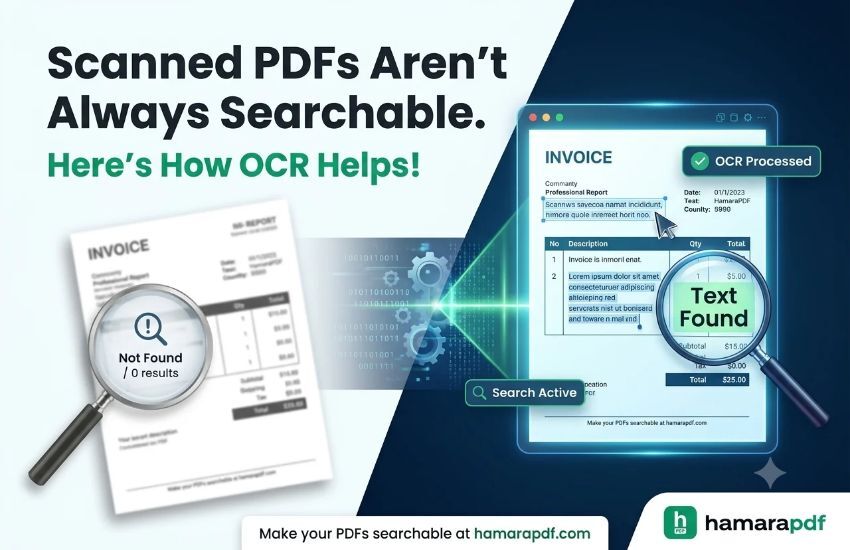
Ever searched for something inside a PDF and wondered why the search function couldn't find it? It could be because the file contains scanned pages instead of digital text. Scanned PDFs aren't always searchable, but OCR can help convert those pages into searchable text, making documents easier to access and use.
Scanned invoices, books, receipts, certificates, and paper records are often saved as images within PDF files. While you can view the content, your computer may not be able to recognize the words. Optical Character Recognition (OCR) solves this problem by making scanned PDF documents easier to search, copy, and manage.
Why Can't You Search in Some PDF Files?
Some PDFs contain images of text rather than actual digital text. When you scan a printed page using a scanner or smartphone, it may be saved as an image within a PDF. Although the document looks readable, the text itself may not be recognized by your computer.
As a result, you may not be able to highlight sentences, search for specific words, or copy text. Even PDF editing can become challenging when the software cannot detect the text on the page.
Imagine having a scanned 50-page report and wanting to locate a particular name. Going through every page manually can take considerable time. Without a recognized text layer, the search feature may not work.
This is why searchable PDF documents are particularly helpful for handling reports, records, archives, and lengthy paperwork.
What is OCR and How Does it Work?
Optical Character Recognition (OCR) is a technology that detects characters in images and converts them into machine-readable text.
OCR makes it possible for computers to identify text in scanned documents, which facilitates search and processing.
When you run a scanned PDF through an OCR tool, it analyzes the page images, recognizes letters, numbers, and words, and generates a text layer that PDF software can read.
The process usually involves three stages:
- Image Recognition: The software scans the page image to detect text, characters, and words.
- Text Extraction: The detected characters are converted into digital text.
- Searchable Text Layer: The recognized text is added to the PDF so users can search, highlight, and copy content.
The document can retain its original visual appearance while allowing users to interact with the text.
How OCR Improves the Usability of Scanned PDFs
OCR simplifies PDF processing by making the text within scanned pages accessible rather than leaving it as a static image.
- Find information quickly: Search for names, dates, phrases, and other details without reviewing every page.
- Reuse text: Copy recognized content into emails, reports, notes, or other documents.
- Support accessibility: Recognized text can help screen readers access document content, though proper document structure is also important.
- Manage files better: Organize and retrieve documents with greater ease.
- Simplify PDF conversion: Convert recognized text into formats such as Word or plain text more easily.
Businesses can also use OCR to support Data Analysis, data automation, and document workflows. For example, scanned invoices and purchase orders can be processed to extract information, helping reduce manual data entry.
Where Can OCR Be Used in Everyday Work?
OCR is helpful for students, professionals, researchers, and businesses that frequently work with scanned paperwork.
Some practical applications include:
- Students: Make scanned books, notes, and study material searchable.
- Office professionals: Retrieve information from scanned contracts, reports, letters, and meeting records.
- Businesses: Handle invoices, receipts, forms, and other business documents efficiently.
- Researchers: Search through scanned publications, archives, books, and reference material.
OCR also supports AI-driven business solutions. Once scanned content becomes digitally readable, AI applications can use it for information retrieval, customer data analysis, and document-based workflows, depending on the system.
Businesses using Customer Relationship Management (CRM) AI or sales automation tools can also benefit from readable digital records when retrieving customer details or organizing paperwork. However, OCR alone does not connect documents to CRM systems automatically.
Can You Make a Scanned PDF Searchable Online?
Yes, many online PDF tools allow users to manage, convert, edit, compress, merge, and extract content from PDF files.
Before choosing a tool, consider its features, file limitations, ease of use, and PDF privacy practices. For confidential documents, check whether files are uploaded to a server or processed directly on your device.
Tools that offer no upload processing can be helpful when privacy matters, as documents can be processed locally without being sent to an external server, depending on how the tool works.
HamaraPDF provides a range of free PDF tools for handling everyday document tasks. Users can access features for PDF editing, PDF conversion, and other PDF processing needs. With no signup, no watermark, and a privacy-focused approach, the platform makes working with PDFs simpler and more convenient.
OCR and the Future of PDF Processing
OCR and AI are making digital document management more practical by helping users extract information, reduce manual work, and improve document workflows.
Still, a scanned PDF does not become searchable automatically. It needs to be processed using OCR technology, and the results depend on factors such as scan quality, image clarity, alignment, fonts, and handwriting.
Whether you work with a handful of scanned pages or hundreds of archived documents, OCR can make them easier to use. With reliable free PDF tools, you can simplify everyday PDF tasks, save time, and manage your documents more efficiently.