
Your Invoices, Contracts, and PDFs Deserve More Privacy
Getting Started
Every business document holds information that needs to be protected. Whether it is a customer invoice, financial report, business agreement, or personal record, PDF privacy is an important concern for individuals and organizations.
Consider how many PDF files you work with regularly. You might edit an invoice, change a contract into Word format, combine financial reports, or share an important document. While these activities may seem routine, have you ever thought about what happens to your files when you use online PDF tools?
Many PDF platforms ask users to upload their documents to external servers for processing. This may create privacy risks, particularly when handling confidential information. Selecting reliable PDF tools can make document management easier while giving you better control over your files.
Why is Document Privacy Important for Your Business?
Business documents frequently contain details that should only be available to authorized individuals.
For instance, invoices may include customer names, phone numbers, billing addresses, payment details, and transaction information. Business contracts may also contain confidential agreements, pricing information, terms, and other sensitive details.
When you upload these PDF files to an unknown platform, it may not be clear where your documents are kept, how they are handled, or who might have access to them.
That is why PDF security should be a priority for every business, regardless of its size.
Whether you work independently, manage a small business, handle accounts, or work in a corporate environment, keeping your documents safe should be part of your daily digital practices.
Understanding the Privacy Risks of Online PDF Tools
Online PDF tools simplify many document-related activities. However, different platforms may handle your files in different ways.
Some services transfer uploaded documents to their servers, process them remotely, and allow users to download the completed files afterward.
While several platforms follow privacy policies and use security measures, sharing confidential documents with third-party services can still involve certain risks.
Some common concerns include:
- Unnecessary Uploads: Private files may be transferred from your device to an external server, even for simple editing tasks.
- Limited Information: Users may not always know how their documents are stored, managed, or retained.
- Third-Party Exposure: Using external platforms creates additional points where sensitive information needs protection.
- Mandatory Registration: Certain services require account creation before allowing access to basic PDF features.
- Watermarks and Limitations: Some free platforms restrict features or place unwanted watermarks on processed documents.
These concerns show why privacy should be considered alongside convenience when choosing a PDF editor or document management service.
Local PDF Processing: An Effective Way to Protect Document Privacy
Local PDF processing is one approach that helps minimize unnecessary exposure of your documents.
Rather than transferring files to external servers, browser-based tools can handle supported PDF operations directly on your device. As a result, your documents do not need to be uploaded to remote servers for these tasks.
For instance, if you want to combine three invoices into one PDF, a locally processing tool can complete the task through your browser without sending the files to an external server.
Some important benefits of this approach include:
- Your files stay on your device while supported operations are performed.
- Unnecessary document transfers can be avoided.
- Common PDF tasks can be completed directly through your browser.
- You maintain greater control over your documents.
- Basic PDF operations are available without creating an account.
Local processing offers a practical way to improve PDF privacy while keeping everyday document management simple.
How HamaraPDF Keeps Your Documents Safe and Private
HamaraPDF makes PDF management simple by bringing together privacy, ease of use, and accessibility.
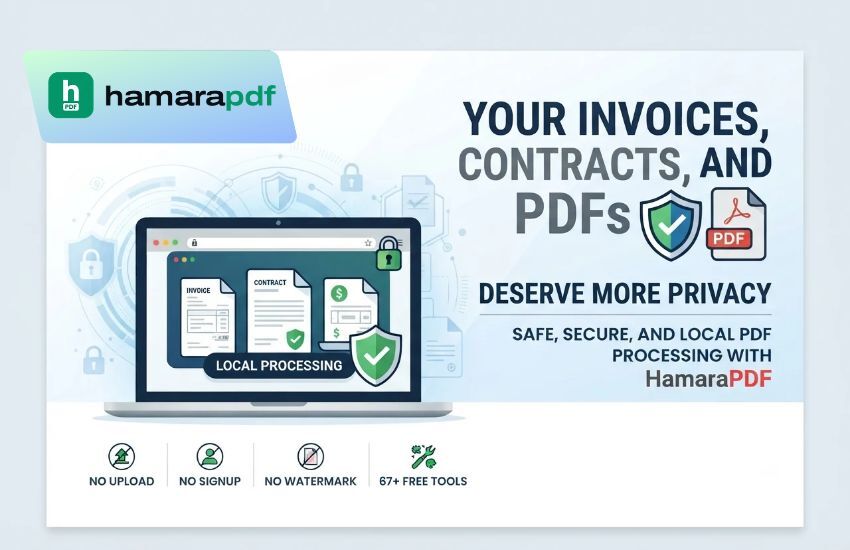
The platform offers 67 free PDF tools, with supported operations performed directly on your device. Whether you want to merge, split, compress, convert, edit, sign, or arrange PDF files, you can use these features without sending your documents to external servers.
Here are some of its main advantages:
- No Upload: Supported PDF tasks are completed on your device, reducing the need to transfer confidential documents to external servers.
- No Signup: There is no need to register or share your email address to use the free tools.
- No Watermark: Save your processed files without unwanted watermarks.
- Free PDF Tools: Use essential PDF features without paying for everyday document-related tasks.
- Wide Range of Features: Access tools for PDF editing, conversion, organization, scanning, and security through a single platform.
HamaraPDF also includes business-related tools that help users prepare GST invoices, quotations, receipts, and delivery challans. These features make it a practical option for freelancers, small business owners, and professionals who work with business documents regularly.
It is worth noting that password protection and unlocking use server-based processing rather than local processing. Therefore, users should check the processing method of individual tools before handling highly confidential files.
Keep All Types of Documents Protected, Not Just Invoices and Contracts
Document privacy is not just about protecting financial papers or legal agreements. Several other PDF documents also contain details that need proper protection.
Here are a few examples:
- Customer Information: Names, contact details, addresses, and transaction records should be managed carefully.
- Employee Records: Salary details, job agreements, and personal information need appropriate safeguards.
- Financial Statements: Expense reports, bank statements, and business accounts may contain private financial details.
- Legal Papers: Business contracts, agreements, and proposals should only be accessible to the right people.
- Personal Files: Certificates, identity-related documents, and application forms also require privacy.
Choosing the right PDF tools allows you to handle, edit, and organize these files more easily while minimizing unnecessary data exposure.
Why PDF Security Matters for Every Business
Businesses work with numerous digital documents as part of their daily operations. With more processes moving online, protecting important business information has become increasingly necessary.
For instance, sales departments handle customer details, quotations, invoices, and business agreements. Finance teams work with payment records and expense statements, while HR departments manage employee-related documents.
Businesses may also use AI in business, Data Analysis, and AI-driven solutions to improve productivity. However, protecting confidential information should remain equally important when adopting these technologies.
Similarly, Customer data analysis, Data Automation, Sales Automation Tools, and Customer Relationship Management (CRM) AI can support smoother business operations. At the same time, organizations need to pay attention to how sensitive information is shared and handled across different platforms.
Using privacy-focused PDF tools is a simple step toward developing safer document management practices.
Use Free Online PDF Tools While Keeping Your Privacy Intact
Managing PDF documents should not mean putting your personal or business information at risk.
A good platform should provide useful features, explain how documents are processed, and make essential tools easy to access without unnecessary steps.
HamaraPDF offers these benefits through its browser-based platform. With free online PDF tools, no signup, no watermark, and local processing for supported operations, it makes handling everyday PDF tasks easier and more convenient.
From editing and converting PDF files to compressing documents and preparing business invoices, you can access a wide range of useful features in one place.
Conclusion
Invoices, contracts, financial statements, and personal documents often contain information that should remain protected. Managing these files conveniently should never mean overlooking their privacy.
Selecting tools that support local processing and minimize unnecessary file uploads can help simplify document-related tasks while giving you greater control over your information.
HamaraPDF makes PDF management more accessible by offering a variety of useful features through one simple platform.
Your files belong to you, and your information deserves protection. Choose HamaraPDF for easy and privacy-focused PDF management.
Visit HamaraPDF to explore its collection of free PDF tools.