
Need to edit a PDF? Before uploading your document to an online tool, consider where your file will go and how its information will be handled. Whether it contains personal details, business records, or confidential customer data, editing a PDF should not mean losing control over your information.
PDFs are used daily for invoices, reports, contracts, forms, presentations, and other documents. Yet, whenever a quick edit is needed, many people turn to online PDF tools and upload their files without thinking about privacy. But is uploading really necessary? Not always.
Suppose you receive an invoice with the wrong date or need to remove a few pages from a report. You search for a PDF editor, upload your file, make the changes, and download the revised document.
Although this process seems straightforward, it raises a valid question: does a file really need to leave your device for a minor edit?
Many online services process files on remote servers. Depending on their policies, your documents may be transferred over the internet and temporarily stored. If a file contains financial information, signatures, addresses, or customer details, this can raise unnecessary privacy concerns.
PDF editing should be simple without compromising PDF privacy. Choosing a tool that processes files directly on your device can help minimize unnecessary uploads and keep you in control of your documents.
Local PDF processing allows a tool to handle document operations on your device instead of sending files to a remote server.
For instance, merging reports, compressing large documents, or converting Word files into PDFs can be done directly in your browser. Your original files do not need to be transferred to another server for these tasks.
This makes everyday document management more convenient by eliminating unnecessary file transfers.
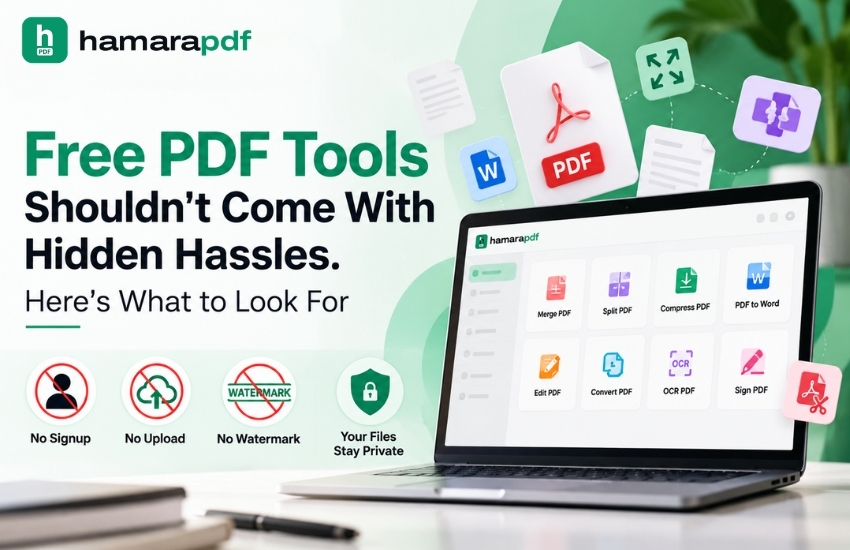
Hamarapdf offers a range of free PDF tools that follow this approach. Its core tools process files locally, with no upload, no account, no watermark, and no usage limits. The platform provides 67 tools for everyday tasks such as editing, merging, splitting, signing, compressing, and converting documents.
For anyone who frequently works with PDF documents, local processing offers a practical alternative to traditional upload-based services.
Documents often contain information that should not be shared unnecessarily. Salary slips, bank statements, business proposals, and client contracts are just a few examples of files that may not need to be uploaded to an external platform.
Local-processing tools help limit exposure by keeping files on your device during supported operations. This makes PDF security an essential consideration when selecting a tool, rather than something to worry about only after a problem arises.
Uploading a file, waiting for it to process, and downloading the result can make a simple task unnecessarily time-consuming. Tools that work locally in your browser can simplify the process.
Whether you need to rotate pages, remove unwanted content, add a signature, or reduce a file's size, the right tool can help you finish the job without unnecessary transfers.
With free PDF tools that process documents locally, you can manage routine tasks without creating an account or dealing with a complicated workflow.
Businesses regularly handle confidential reports, employee details, customer records, and financial documents. Uploading these files to an unfamiliar platform may not always be the best choice.
A local-first approach helps minimize the risks linked to transferring documents to third-party servers. However, local processing cannot prevent every security threat. Keeping your device secure, managing access, and following safe document-handling practices remain important.
Avoiding file uploads does not mean missing out on useful features. Hamarapdf offers a variety of tools to simplify everyday document tasks.
Here are a few things you can do:
These features simplify PDF processing for students, professionals, freelancers, and businesses that regularly work with documents.
Hamarapdf also provides tools for business-related tasks, such as creating invoices and managing manufacturing documents. This extends its usefulness beyond routine PDF conversion and editing.
Document privacy is an important part of responsible data management. Businesses frequently exchange customer records, contracts, sales reports, and internal documents. Limiting unnecessary file transfers can help teams handle this information more carefully.
This is particularly relevant for organizations using Customer Relationship Management (CRM) systems, sales automation tools, and data automation workflows. These systems depend on organized documents and accurate customer information. Protecting sensitive data is an essential part of managing them responsibly.
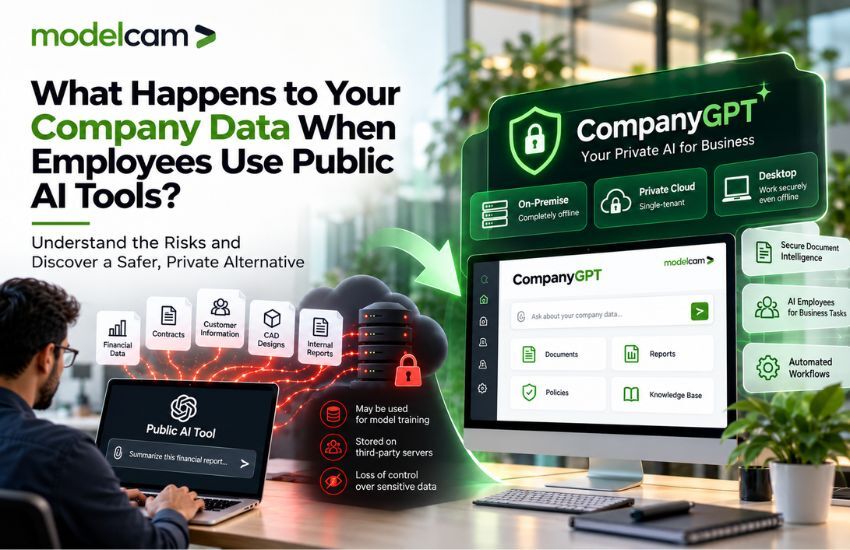
AI in business is also opening up new opportunities for document analysis and repetitive task automation. However, businesses should understand how an AI-driven solution processes and handles information before using it with confidential files. Hamarapdf's additional document intelligence features are coming soon, so these should be distinguished from its currently available tools.
The objective is straightforward: make everyday work easier while maintaining responsible data practices.
Keep these essential points in mind when selecting a PDF service.
Asking these questions helps you compare online PDF tools and find one that meets your needs. Keep in mind that free services are not necessarily private, and paid services are not automatically more secure.
If privacy is a priority, choose tools that explain their processing methods clearly and minimize unnecessary data collection.
For more information on how to choose the right PDF tool, you can check out our blog post, “Free PDF Tools Shouldn't Come With Hidden Hassles. Here's What to Look For!”
Editing documents should be straightforward without sacrificing convenience or overlooking privacy. Whether you are updating a report, preparing an invoice, or organizing files, the right tool can make the job easier.
Hamarapdf provides a convenient way to manage everyday document tasks directly on your device. Its collection of free online PDF tools supports local processing, with no signup or watermark, helping you work with your files without unnecessary uploads.
The next time you need to edit a PDF, consider an alternative to uploading your file first. Visit Hamarapdf.com to explore tools that make document management simple and help you maintain greater control over your files.
Your files belong to you. Choose PDF tools that put your privacy first.
Let’s connect: www.modelcamtechnologies.com
Email: sales@modelcamtechnologies.com
Mobile no : +91 8237016167
Modelcam Technologies provides a wide variety of Services from ART to PART from Concept Design to Industrial Modeling and Analysis for final Manufacturing.
©Copyright 2026. All rights reserved by Modelcam Technologies Private Limited PUNE.