

For professionals who require precise drafting without the excessive expense of conventional CAD software, BricsCAD Lite is a powerful, intelligent, and reasonably priced 2D CAD solution. This guide will help you understand the features, advantages, cost, and reasons why engineers, architects, designers, and organizations are increasingly choosing BricsCAD Lite Software if you're searching for dependable software for daily drafting and design.
Selecting the appropriate software can greatly increase productivity while lowering software costs, regardless of your level of familiarity with CAD. Let's go over everything you need to know about BricsCAD Lite.
Bricsys created BricsCAD Lite, a professional 2D CAD software. It offers complete compatibility with the industry-standard DWG file format and is specifically made for accurate 2D drafting and documentation.
BricsCAD Lite offers all the necessary drafting tools in an affordable package, in contrast to many pricey CAD programs. Technical drawings can be created, edited, annotated, and managed by users without sacrificing performance.
With its familiar commands, user-friendly interface, and seamless DWG compatibility, BricsCAD Lite is a great option for firms searching for an AutoCAD Alternative that makes the switch easy for current CAD users.
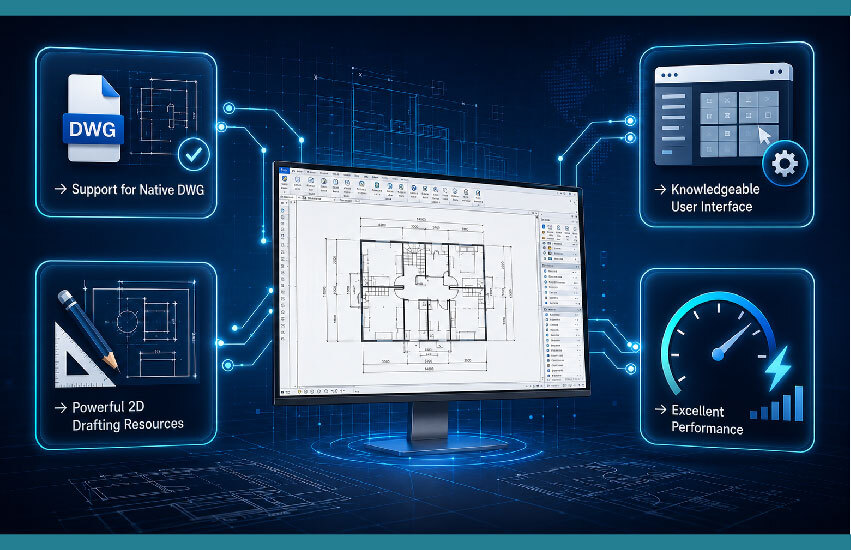
Being a real DWG CAD program is one of the main benefits of BricsCAD Lite. DWG files can be opened, edited, and saved by users without the need for file conversion, facilitating easy communication with suppliers, clients, and project teams.
BricsCAD Lite is a specialized CAD software for drafting that comes with all the features needed to create professional drawings, such as:
These tools make it easier and more efficient to produce precise engineering drawings.
For more interesting information, explore our blog, "Why Engineers Are Switching to BricsCAD Lite for 2D Drafting"!
Because of the learning curve, many professionals are reluctant to convert to CAD software.
Fortunately, BricsCAD Lite's user interface will be familiar to AutoCAD users. Teams may rapidly become productive because most commands, shortcuts, menus, and workflows stay the same.
BricsCAD Lite performs smoothly even when working with huge DWG files. Users may finish tasks more quickly and with fewer interruptions thanks to responsive drafting tools and quick loading times.
Selecting the best CAD software should enhance your everyday workflow in addition to its capabilities.
These are some of BricsCAD Lite's main advantages.
The price of BricsCAD Lite is a major factor in firms' decisions.
It provides professional-grade drafting capabilities without the expensive licensing fees connected with many conventional CAD platforms because it is an affordable CAD program. For startups, SMEs, academic institutions, and expanding engineering enterprises, this makes it a great investment.
Professionals in a variety of industries can use BricsCAD Lite.
For professionals who work mostly with 2D drawings, such as engineers, architects, mechanical designers, civil engineers, electrical consultants, and draftspeople, it functions similarly to CAD.
It can be intimidating to learn professional CAD software.
Fortunately, BricsCAD Lite's user-friendly layout, recognizable controls, and straightforward navigation make it a great CAD program for novices.
Drafting abilities can be rapidly developed by students and recent graduates utilizing industry-accepted professional software.
Users may focus more on design accuracy and spend less time on repetitive chores thanks to built-in drafting tools, customized workflows, and effective drawing management.
In the end, this lowers overall drawing work and enhances project delivery.
For more benefits, you can read our blog post, "Top 5 Benefits of Using BricsCAD Lite for 2D Drafting and Design"!
Selecting the best CAD software should enhance your everyday workflow in addition to its capabilities.
These are some of BricsCAD Lite's main advantages.
The price of BricsCAD Lite is a major factor in firms' decisions.
It provides professional-grade drafting capabilities without the expensive licensing fees connected with many conventional CAD platforms because it is an affordable CAD program. For startups, SMEs, academic institutions, and expanding engineering enterprises, this makes it a great investment.
Professionals in a variety of industries can use BricsCAD Lite.
For professionals who work mostly with 2D drawings, such as engineers, architects, mechanical designers, civil engineers, electrical consultants, and draftspeople, it functions similarly to CAD.
It can be intimidating to learn professional CAD software.
Fortunately, BricsCAD Lite's user-friendly layout, recognizable controls, and straightforward navigation make it a great CAD program for novices.
Drafting abilities can be rapidly developed by students and recent graduates utilizing industry-accepted professional software.
Users may focus more on design accuracy and spend less time on repetitive chores thanks to built-in drafting tools, customized workflows, and effective drawing management.
In the end, this lowers overall drawing work and enhances project delivery.
For more benefits, you can read our blog post, "Top 5 Benefits of Using BricsCAD Lite for 2D Drafting and Design"!
Today's businesses want software that offers value, flexibility, and long-term savings.
Many businesses are switching to BricsCAD Lite instead of pricey subscription-based CAD platforms since it offers:
Over time, these benefits can drastically lower software costs for businesses that oversee several CAD users.
Artificial intelligence is changing business operations, and engineering is no exception.
AI is being used by modern businesses to automate tedious tasks, boost output, and make better judgments.
Many engineering firms integrate CAD software with AI-driven technologies for document management, project planning, and data analysis, despite BricsCAD Lite's primary concentration on 2D sketching.
AI-driven solutions are also being used by businesses for data automation, quality assurance, and design reviews, which helps engineering teams operate more productively while requiring less manual labor.
In order to increase customer engagement, expedite sales procedures, and make well-informed business decisions, businesses are depending more and more on customer data analysis, sales automation tools, and customer relationship management (CRM) AI.
The BricsCAD Lite price is one of the most commonly requested questions.
The following variables affect pricing:
Prices may change over time, thus it is always recommended to contact an authorized Bricsys partner for the most latest estimate and license options.
Selecting an authorized reseller when purchasing BricsCAD Lite guarantees that you will receive authentic software, technical support, installation help, licensing advice, and product training.
For businesses looking for BricsCAD Lite India, working with seasoned implementation partners like Modelcam Technologies, which provides software guidance, licensing support, training, and engineering solutions tailored to business needs, might be beneficial.
BricsCAD Lite is a great option for:
BricsCAD Lite is a useful and affordable solution whether you require professional CAD capabilities for engineering projects or dependable 2D drafting software for everyday documentation.
BricsCAD Lite offers the speed, precision, dependability, and cost that experts need from contemporary 2D drafting software.
It is the perfect option for companies seeking a professional AutoCAD alternative without the hefty ownership expenses because of its native DWG compatibility, user-friendly interface, and extensive drafting features.
BricsCAD Lite offers the tools required to produce precise technical drawings while increasing productivity and lowering software costs, regardless of whether you are an experienced engineer, a student, or a developing company.
Now is an excellent time to investigate BricsCAD Lite if you're considering professional CAD solutions and learn how it may streamline your drafting processes while providing long-term benefits for your company.
Let’s connect: www.modelcamtechnologies.com
Email: sales@modelcamtechnologies.com
Mobile no : +91 8237016167
Modelcam Technologies provides a wide variety of Services from ART to PART from Concept Design to Industrial Modeling and Analysis for final Manufacturing.
©Copyright 2026. All rights reserved by Modelcam Technologies Private Limited PUNE.