
Need to convert a PDF online but concerned about formatting problems, data safety, or unexpected charges? Before choosing a converter, take a moment to understand how PDF conversion works and what to consider to protect your documents.
PDFs are commonly used to share reports, forms, invoices, and business documents. However, converting or editing them can sometimes be challenging. The right tool makes the process easier, while an unsuitable one may affect the layout or expose sensitive information.
Here are a few important things to consider before converting your PDF files online.
PDF converters come with different features. While some specialize in converting PDFs to Word, others support formats such as Excel, JPG, and PNG.
Start by identifying your needs. If you want to update a report, converting it to Word may be the best choice. If you need to share individual pages as images, a PDF-to-JPG converter could work better.
Choose free PDF tools that support your preferred formats and are easy to use. A good platform should offer a straightforward interface and clear instructions.
Websites such as Hamarapdf offer various PDF utilities to help users manage everyday document tasks from one place.
PDF conversion can sometimes affect the original layout. Fonts, tables, images, page numbers, and spacing may shift when a document is converted into another format.
For example, converting a financial report from PDF to Excel may require adjustments to tables and columns. Similarly, a PDF converted to Word might not preserve every formatting detail.
To minimise these issues, choose online PDF tools that support your specific conversion needs and inspect the output before sharing or using it.
Check headings, images, tables, page breaks, and special characters. For documents containing important business information, compare the converted file with the original to confirm accuracy.
File security should be a key consideration when using an online converter. PDF files can contain sensitive details, including financial records, contracts, personal information, and customer data.
Some services require you to upload files to their servers for processing. Depending on their policies, these files may be stored temporarily or handled in other ways.
Before selecting a tool, review its privacy policy and check how files are processed, protected, and retained.
For confidential documents, consider tools that support local, browser-based processing. Processing files directly on your device can reduce the need to send document contents to external servers.
Following good PDF security practices helps protect both personal and business information. A free conversion service should not automatically be considered a secure one.
Privacy matters when handling confidential documents. Before selecting a converter, check whether it requires registration, collects unnecessary personal information, or transfers your files to an external server.
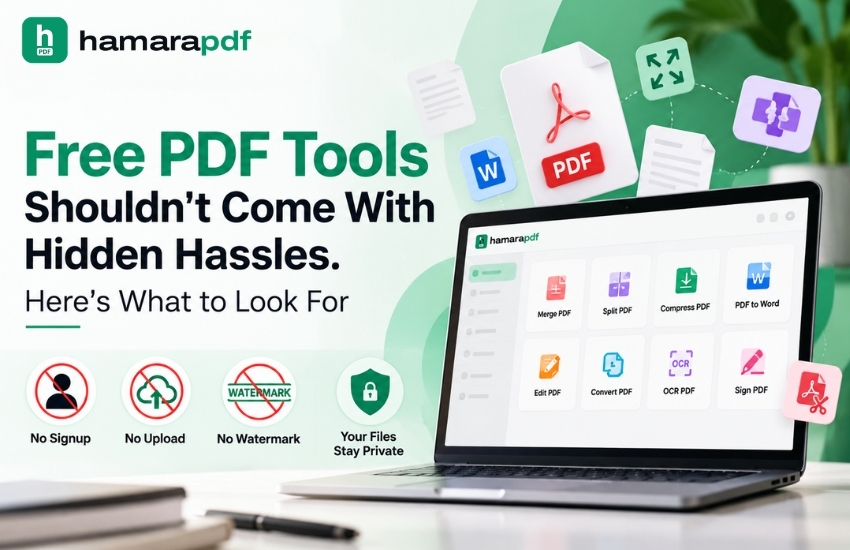
Features like no upload, no signup, and no watermark can make PDF conversion easier, depending on how the tool works.
A no-signup service allows you to convert files without creating an account, while a no-watermark option keeps converted documents free from added branding. However, "no upload" should mean your files remain on your device rather than being transferred to a server.
HamaraPDF provides a range of PDF utilities focused on convenient document handling and privacy-conscious use. Before processing sensitive files, review the tool's current features and privacy policy to understand how your information is managed.
Remember, PDF privacy involves more than protecting information from outsiders. It also means knowing how your documents are handled during processing.
Many converters offer free services but impose limits on conversion numbers, file sizes, or specific features.
Thus, it is important to check all the aspects of free PDF tools! Discover more useful tips in our blog post, “Free PDF Tools Shouldn't Come With Hidden Hassles. Here's What to Look For!”
Before using a tool, check for daily limits, paid features, and other restrictions. Also, find out whether the free version adds watermarks or requires registration.
Reliable free online PDF tools should clearly explain their available features, helping users avoid unexpected charges or interruptions.
If you work with PDFs regularly, using a platform with multiple utilities can save time. You can convert, merge, split, or compress documents without switching between different websites.
Large PDFs may take longer to process, particularly if they contain high-resolution images, complex graphics, or multiple pages. Unlike text-based PDFs, scanned documents may require additional steps before you can extract or edit their text.
If you need to extract editable text from scanned pages, Optical Character Recognition (OCR) may be necessary. Without it, a converted Word document might contain page images instead of editable text.
Before starting PDF processing, check the file size, page count, and document type. If the result is unsatisfactory, choose a more appropriate conversion method rather than repeating the same process.
Keep a copy of the original PDF until you have checked and approved the converted document.
PDF conversion is useful for more than personal tasks. Businesses rely on PDFs to handle invoices, reports, product brochures, contracts, and customer records.
A suitable PDF editor and conversion tools can reduce manual work, simplify routine tasks, and help teams prepare documents faster.
For example, a sales team might convert a product brochure into a different format before sending it to a customer. Similarly, a finance team may extract tables from a report for further analysis.
PDF utilities can also support broader AI in business, Data Analysis, and Data Automation workflows. However, converting a document alone does not guarantee accurate data. Teams should verify extracted information and follow their organisation's security guidelines.
Whether you need a simple converter or advanced PDF editing features, choose tools that suit your needs without complicating your workflow.
Always review the converted file to ensure its formatting and content are correct before sharing it with others.
Ensure the text is readable, the formatting remains consistent, and no important information is missing. Also, check that tables, images, links, and page numbers appear correctly.
Even minor formatting issues can make business documents look unprofessional or create misunderstandings. A quick review can help you catch these errors early.
Keep the original PDF until you have confirmed that the converted file meets your requirements. This also makes it easier to identify and correct any issues.
Converting PDFs online can save time, but choosing the right tool involves more than speed. Consider its formatting accuracy, supported formats, usability, pricing, and privacy features before getting started.
The most useful PDF tools help you complete tasks efficiently while making it clear how your documents are handled.
If you regularly work with PDFs, explore the utilities available on Hamarapdf to find tools that suit your needs. By selecting the right converter and reviewing the results, you can make everyday PDF tasks simpler and more reliable.
```Let’s connect: www.modelcamtechnologies.com
Email: sales@modelcamtechnologies.com
Mobile no : +91 8237016167
Modelcam Technologies provides a wide variety of Services from ART to PART from Concept Design to Industrial Modeling and Analysis for final Manufacturing.
©Copyright 2026. All rights reserved by Modelcam Technologies Private Limited PUNE.