
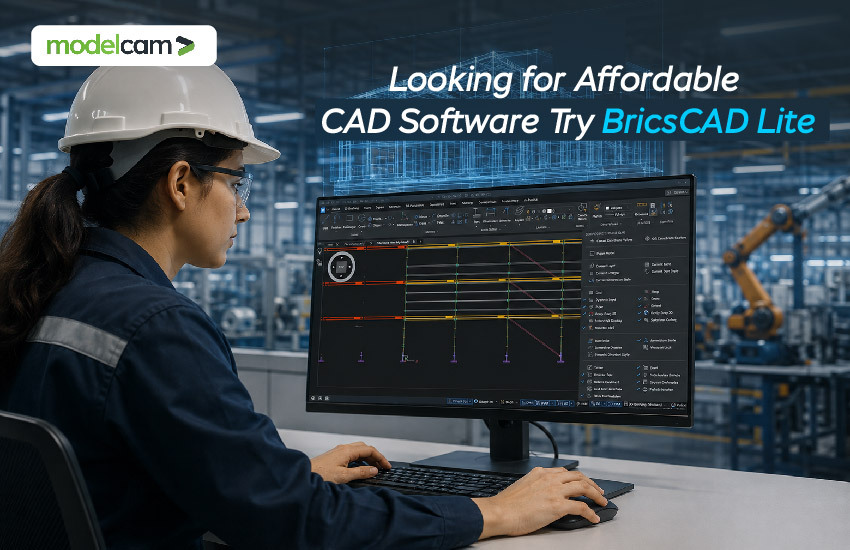
Designers and engineering teams may manage excellent 2D drafting with BricsCAD Lite without having to pay for capabilities they might not use. BricsCAD Lite is a good option if you're searching for affordable CAD Software that combines well-known workflows, DWG compatibility, productivity tools, and flexible licensing.
Finding the best deal is not the only consideration for many firms when selecting CAD software. It involves controlling software investment while obtaining the necessary capabilities for daily tasks. BricsCAD Lite is unique in this regard.
Professional 2D CAD software called BricsCAD Lite software is used to create and modify DWG-based designs. Engineers, designers, drafters, and companies whose main needs are 2D drafting rather than sophisticated 3D modeling will find it especially useful.
BricsCAD Lite is a professional DWG-based 2D CAD solution with AI-driven productivity tools, according to Modelcam. It facilitates the transfer for users who are already acquainted with other DWG-based CAD platforms by supporting well-known commands, scripts, macros, menus, and AutoLISP routines.
Because of this, it is a helpful choice for anyone looking for CAD software for drafting, particularly when daily work entails layouts, technical drawings, comments, blocks, dimensions, and revisions.
To know more, explore our blog post, "What is BricsCAD Lite? Features, Benefits & Pricing Explained!"

A long-term business investment is CAD software. The true cost of utilizing a CAD platform is influenced by licensing fees, training, migration, maintenance, and productivity.
BricsCAD Lite offers various license options while concentrating on fundamental 2D design and drafting requirements. BricsCAD Lite Price can vary, so businesses should confirm the current BricsCAD Lite Price before purchasing.
The crucial issue is that critical CAD capabilities shouldn't be sacrificed in the name of affordability. A decent CAD solution should give your team the tools they really need to perform effectively.
Compatibility is one of the main issues while switching CAD platforms.
Because BricsCAD Lite is based on the DWG format, teams may keep using a popular file format that is accepted by the industry. Compatibility with commands, menus, macros, scripts, templates, support files, and AutoLISP routines is highlighted by Modelcam.
This familiarity can greatly facilitate migration for companies thinking about switching to an AutoCAD alternative.
Users can continue using familiar commands and workflows rather than drastically altering long-standing drafting routines.
Drawing lines and forms is not the only function of 2D CAD software. Accuracy, speed, control, and organization are necessary for professional drafting.
Layers, blocks, external references, pictures, UCS control, section planes, drawing exploration, and other common drafting needs are all covered by BricsCAD Lite. Applications for it include construction documents, architectural drawings, electrical schematics, mechanical layouts, and other technical drafting needs.
This targeted strategy may be more cost-effective for professionals who mostly want 2D drafting software than purchasing a more expansive platform with sophisticated capabilities they seldom ever use.
Basic does not have to equate to affordable.
Intelligent features in BricsCAD Lite are intended to minimize tedious drafting tasks. BLOCKIFY, for instance, may recognize geometry that is repeated and transform it into block references. According to Modelcam, this can greatly reduce the size of DWG files in appropriate drawings.
Additional tools that can help users generate and edit drawings more effectively include COPYGUIDED, Parametric Blocks, adaptive grid snapping, and OPTIMIZE. When working with large or repetitive designs, engineers and drafters may find these features useful.
Modern engineering software, including CAD, is starting to incorporate AI.
Machine learning-driven features like the Quad, which anticipates commands based on user behavior, are part of BricsCAD Lite. Additionally, Modelcam emphasizes the platform's AI-driven productivity features.
This is part of a larger trend toward AI-driven engineering workflows, in which software can help people instead of just giving them simple sketching instructions.
AI's position in CAD is most helpful when it decreases repetitive tasks and speeds up designers' work, even though it can also be applied in areas like data analysis, customer data analysis, and data automation across business operations.
Each engineering company creates its own operational procedures. To expedite repeated work, some teams use customized commands, scripts, or routines.
AutoCAD's AutoLISP format is compatible with BricsCAD Lite. Additionally, it offers the customizable BLADE LISP development environment.
For businesses who wish to create their own drafting automation or already have LISP-based solutions, this is a significant benefit.
To put it another way, rather than requiring the team to entirely alter its process, the software can adjust to it.
Performance and productivity are tightly related. During a workday, waiting for orders to be answered or for huge drawings to open can easily add up.
High-performance features, such as multi-core processing and quicker handling of huge drawings, are highlighted on Modelcam's BricsCAD Lite website.
This is important for CAD for Engineers since engineering drawings can get complicated as blocks, references, annotations, and other components are included.
Users can spend more time designing and less time waiting in a responsive drafting environment.
Small and medium-sized engineering firms frequently require software that can expand with them.
They might start with simple 2D drafting and eventually need mechanical design, automation, customisation, 3D modeling, or other skills. Organizations can select from a variety of BricsCAD editions, such as Lite, Pro, BIM, Mechanical, and Ultimate, based on their needs.
Because of this, BricsCAD Lite India is a viable choice for companies looking to begin with targeted 2D capabilities while planning for future growth.
While expert users still require sophisticated productivity tools, CAD software for beginners shouldn't be unduly complex.
While seasoned CAD experts can benefit from customisation, LISP support, blocks, and productivity features, novice users can benefit from BricsCAD Lite's familiar DWG environment.
For engineering teams, this balance may facilitate adoption and training.
If your team primarily works with 2D drawings and needs a competent, well-known, and affordable CAD solution, BricsCAD Lite is especially appropriate.
It may be a suitable choice for companies seeking:
However, companies who need mechanical design, BIM, or advanced 3D modeling should consider BricsCAD Pro, BIM, or Mechanical. These many BricsCAD editions are available from Modelcam to meet various design needs.
Choosing CAD software is just the first step. Technical assistance, customization, training, and implementation are all necessary for successful adoption.
Modelcam Technologies offers CAD software installations and sales as well as technical support, training, and implementation. Its more comprehensive engineering services include design automation and CAD customization, assisting companies in integrating their CAD environment with their current engineering procedures.
Therefore, it is important to consider how BricsCAD Lite will function with your team's present workflows in addition to the product itself if you intend to purchase it.
Comparing licensing costs shouldn't be the only step in the hunt for affordable CAD software. What your technical team will get from the software is a better question to ask.
BricsCAD Lite is a useful choice for companies looking to reduce CAD expenses without sacrificing regular drafting capabilities because of its DWG compatibility, professional 2D drafting tools, customization options, AI-driven productivity features, and flexible licensing.
Discuss your needs with an approved BricsCAD partner, like Modelcam Technologies, and look into the license choices if you are considering BricsCAD Lite Software for your company. Your team can draft more quickly, operate more effectively, and get more out of its technological investment with the proper CAD solution.
Let’s connect: www.modelcamtechnologies.com
Email: sales@modelcamtechnologies.com
Mobile no : +91 8237016167
Modelcam Technologies provides a wide variety of Services from ART to PART from Concept Design to Industrial Modeling and Analysis for final Manufacturing.
©Copyright 2026. All rights reserved by Modelcam Technologies Private Limited PUNE.